Full-time stats
Recording delay and the 70% error reduction are the figures stated in the case study; the error rate is shown as an index (baseline 100) because raw counts were not published. Data entries and paper forms describe the redesigned flow, not a measured study.
Match facts
- Role
- UI/UX designer
- Platform
- Mobile app for operators, with an admin view
- Discipline
- Mobile App UI/UX
- Industry
- Automotive Manufacturing & Warehousing
- Tools
- Figma
Before → after
- Recording delay
- 24h to 0h
- Input errors (index)
- 100 to 30
- Data entries per item
- 2 to 1
- Paper forms per transaction
- 1 to 0
How the match went
From the brief at kick-off to the result at full time.
- Minute 0, Kick-off
The brief
Cutting warehouse errors by up to 70% through real-time ERP and physical operations integration.
Bridging the physical-digital gap: how a simple mobile app solves the complex problem of stock discrepancies between the warehouse floor and the ERP system.
- Minute 15, The opposition
The problem
In automotive manufacturing warehouses, accuracy is money. The old system separated physical operators from ERP admins, and the time gap between moving goods and entering data created a blind spot where the stock in the system did not match reality.
- Ghost inventorythe PPC team planned production on stock that had already run out but was not yet recorded as issued.
- Double handlingthe work was done twice, once moving the goods and once retyping the data from paper into the office computer.
- High error ratemanual input was prone to typos in part codes, causing discrepancies during stock audits.
The question
How might we empower field operators to become independent admins, without burdening them with a complex UI amid busy warehouse work?
- Minute 35, Game plan
Goals and key features
BeforeBefore, a disconnected flow: the operator receives paper (IDN or MRF), moves the goods, stacks the papers and hands them to an admin, who enters them in the afternoon or the next day. Risk: lost papers, typos and data delays of up to 24 hours.
AfterAfter, a unified flow. Inbound: the operator logs in, receives a digital IDN, scans the item QR, scans the rack location, and the system posts automatically. Outbound: the operator receives an MRF notification, scans the item on the rack, confirms the pick, and the stock updates automatically.
The goal: one source of truth, with physical and digital data in sync that very second.
- 01Contextual KPI dashboard with inbound and outbound totals
- 02Colour-coded pending documents (IDN, MRF, MIN)
- 03Item and rack-location QR scanning with auto posting
- 04Fail-safe pick-list validation (poka-yoke)
- 05Photo proof before a transaction is submitted
- 06Pending and Completed transaction tabs
- 07Processed By accountability trail
- Minute 60, The play
How it was solved
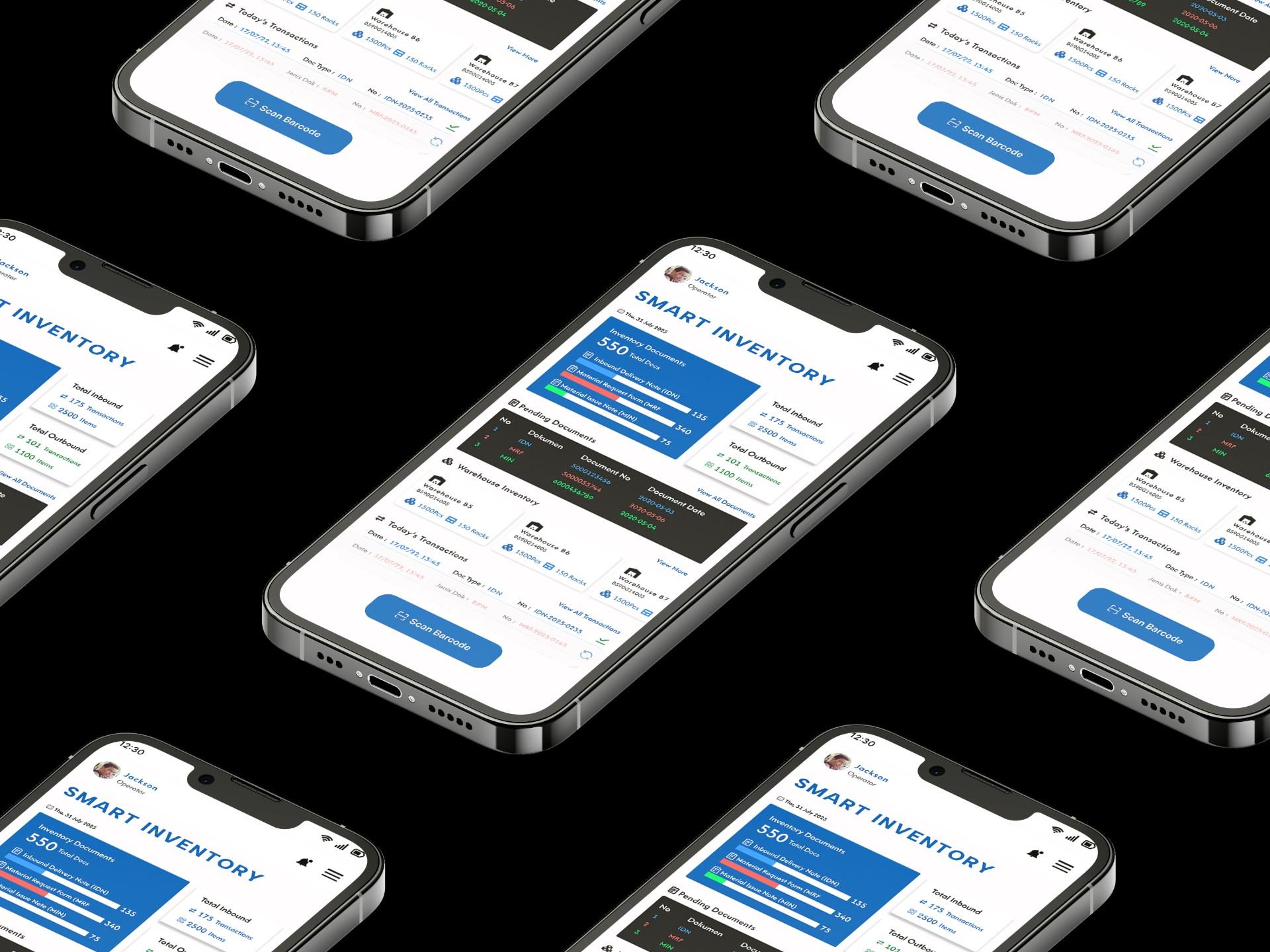
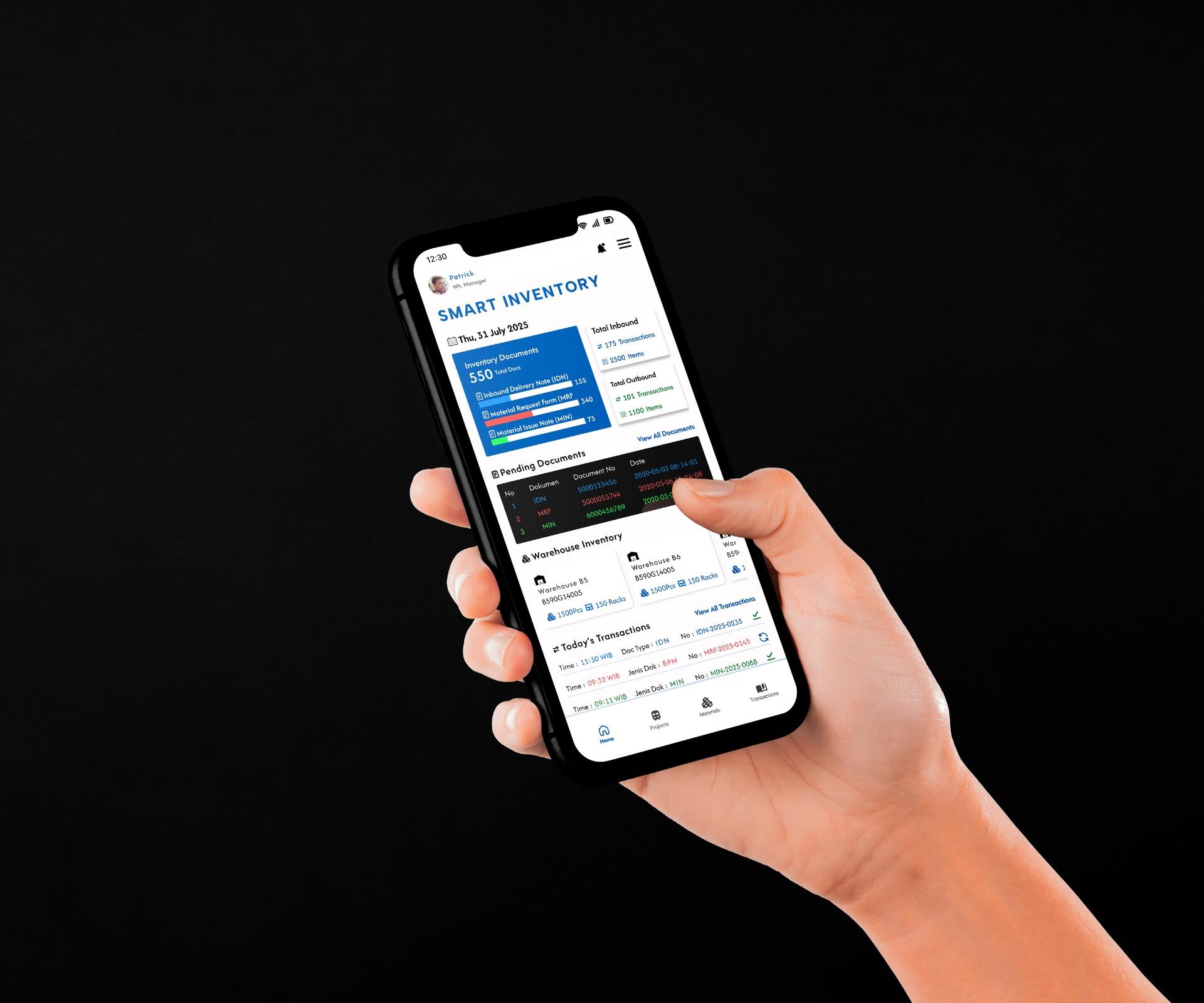
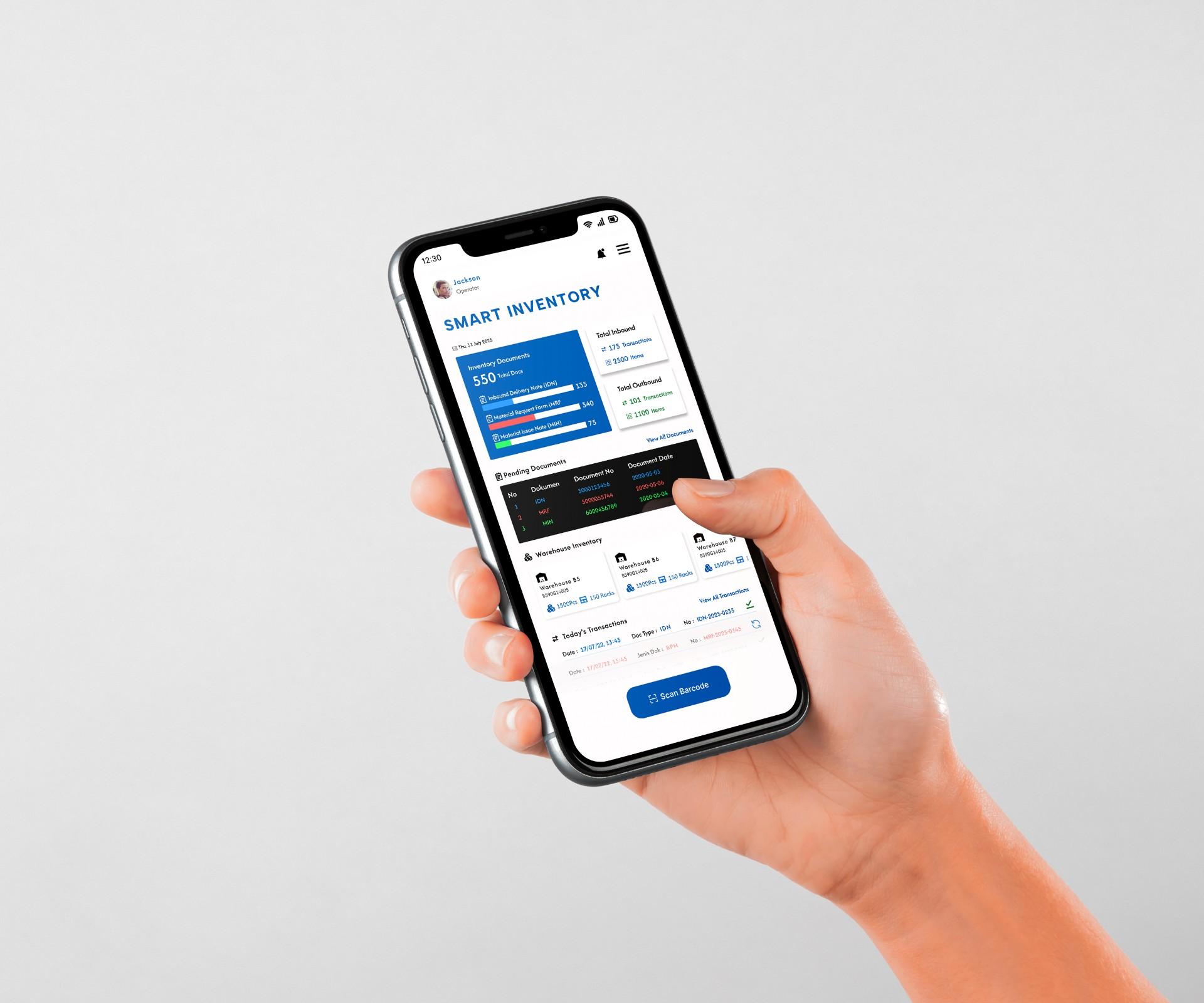
- Contextual KPI dashboardManagers did not know the daily workload at a glance. The home screen shows total inbound and outbound and a colour-coded table of pending documents (blue for IDN, red for MRF, green for MIN), so managers can allocate the workforce each morning based on the backlog.
- Fail-safe QR scanningOperators sometimes picked items that looked alike but had different specs, a common problem with automotive spare parts. The system rejects an input when the item QR code does not match the ERP pick list, stopping the error before it happens (poka-yoke design).
- Evidence-based transactionsStock disputes ("I already put it there!") are settled by an integrated camera button: operators photograph the goods on the rack as digital proof before a transaction can be submitted.
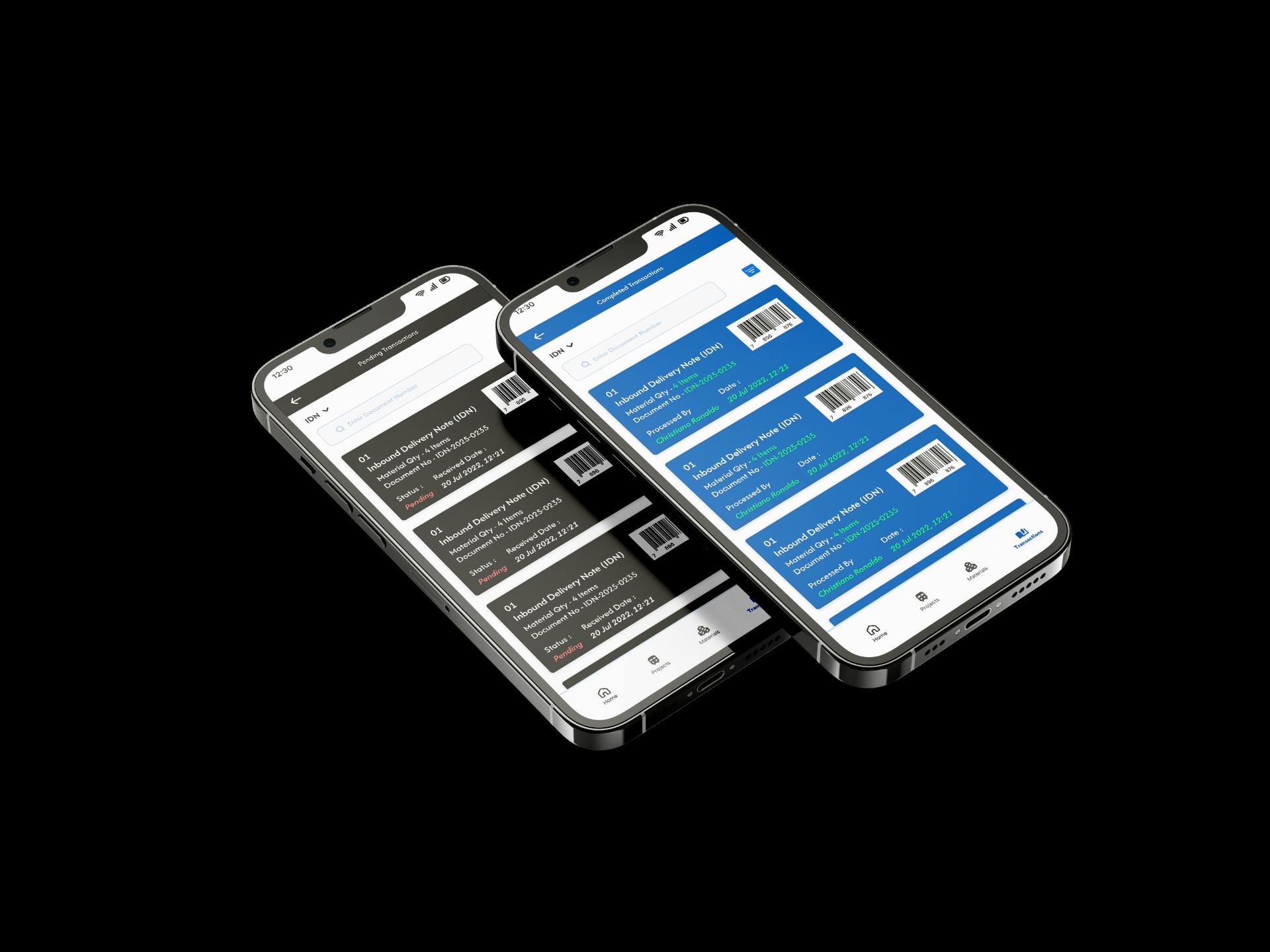
- Pending and CompletedSeparate tabs give clear system status: completed tasks leave the queue immediately, so operators never redo them. Compact information cards keep cognitive load low, and the Processed By identity on completed tasks leaves an accountable digital footprint.
- Minute 90, Full time
The result
One source of truth: physical and digital stock stay in sync in real time, without administrative delay. Operators work as independent admins, double handling disappears, and validation stops picking errors before they reach the ERP, cutting warehouse errors by up to 70%.
Key decisions
The choices that shaped the project, the reasoning behind them, and what they cost.
Make the operators the admins
- The problem
- Paper forms reached an ERP admin hours or a day after the goods moved, so production planned on stock that was already gone.
- The call
- Operators record every movement themselves on a mobile app: scanning the item and the rack posts the stock straight to the ERP.
- Why
- The delay came from the handover between two people, not from either of them. Removing the handover removes ghost inventory and double handling.
- Trade-off
- Operators take on admin work in a busy warehouse, so every screen had to stay minimal, and each posting records who made it.
Stop wrong picks at the rack
- The problem
- Automotive spare parts often look alike but have different specs, and a wrong pick was only found at the stock audit.
- The call
- The scan is rejected when the item QR code is not on the ERP pick list (poka-yoke).
- Why
- An error stopped at the rack costs seconds; the same error found at an audit costs a production plan.
- Trade-off
- Operators cannot override a mismatch on the spot; a wrong pick list has to be corrected in the ERP first.
No proof, no posting
- The problem
- Stock disputes ("I already put it there!") were settled from memory.
- The call
- A transaction cannot be submitted until the operator photographs the goods on the rack.
- Why
- A photo with the operator’s name and time ends the argument, and the record is created at the moment of work.
- Trade-off
- One extra step on every transaction, accepted in exchange for evidence.
Show the backlog, not just the totals
- The problem
- Managers did not know the day’s workload until they asked around.
- The call
- The home screen pairs inbound and outbound totals with a colour-coded table of pending documents: blue for IDN, red for MRF, green for MIN.
- Why
- Seeing the backlog by type each morning lets managers put people where the work is.
Replays
Screens from the final design. Keep scrolling to roll the replay.